We mentioned here about how great Audacity is, but we can’t forget to mention that you may need this encoder to convert your projects into MP3.
Lame MP3 Encoder 3.100 > Download here > http://lame.sourceforge.net/
Thank you 😀
We mentioned here about how great Audacity is, but we can’t forget to mention that you may need this encoder to convert your projects into MP3.
Lame MP3 Encoder 3.100 > Download here > http://lame.sourceforge.net/
Thank you 😀
It’s still strange to me that this small blog is actually celebrating 7 years of anniversary. The original idea was only to post a couple of posts/apps that worked on the PowerPC, but we kept finding more and more out there… I already have many bookmarked for future testing, because there are more to come for the PowerPC community.
We did take some time off, because we got busy with our standard jobs and at the end of the day I just wanted to come home and watch Survivor and Amazing Race and go to bed. I kept procrastinating to login and write a new post, putting it off for “tomorrow” which ended up turning to weeks and months….
Now we are back, and I recently purchased a mint condition PowerBook G4 (15”/1.66GHz/1.5GB). I’m very proud of it, it’s a great machine and I’m bringing this blog back to life one more time, and breathing life into my stainless steel PowerPC!
So, if you find yourself like me, coming into possession of a brand new “old” Mac – wondering what the top 5 essential apps you need to have on your computer…then read on! Listed below are the Essential 5 apps for you (in my opinion):
TenFourFox – Yes, a trusted browser is a must for any PowerPC user. TenFourFox is putting in great effort and keeping us updated! – http://www.floodgap.com/software/tenfourfox/
iWork 09’ – This office suite it’s fantastic, still very up to date and you can pull off great results using Keynote, Number and Pages. Before I was using AppleWorks due to a nostalgic feeling, but iWork works amazing! Also deserving of a mention here is LibreOffice 5 (but still under development > http://ftp.osuosl.org/pub/manulix/other/libreoffice/). iWork 09′ you can find for a great price at https://www.ebay.com/ or https://www.craigslist.com/about/sites
VLC – If you choose to keep your Mac PowerPC free of excessive software, embracing the minimalist movement – then just install this app for your media player, because it will play any type of media movie format. Super powerful! – https://www.videolan.org/vlc/download-macosx.html
Gimp – A Classic of the classics – everybody needs to have this app because before the internet you would have a computer to play with apps like Gimp. – https://www.gimp.org/downloads/
AppDelete – They say you only need to drag your app to the garbage bin, but I personally do prefer to use an app to take care of that. – http://www.reggieashworth.com/appdelete
Now my friends, you are ready to start!
Since we are an independent blog and there is an annual cost for running this blog any support/donation would be highly appreciated.
Thank you 😀
FinderPop 2.5.7
Right in the middle of 2018, I’m doing my standard search for PowerPC apps and found FinderPop which has brought a whole new life to my “pretty” and “powerful” 15 year old Mac computer.
FinderPop is a simple, yet powerful and intricate app. It will keep everything you need one-click away, for quick and easy access. It’s great for shortcuts and it will help you organize your app like never before.
I’m also pleased to report that it runs on an Intel Mac and our good old friend, Tiger 10.4
Needless to say – it’s Free, so don’t waste your time, click on the link below and install it right away. Just make sure to share your find on your favourite social media page, and don’t forget to tag the app and your favourite blog 😀
For more details, please watch the following video, posted by the developers >
https://www.youtube.com/watch?v=zTVGlsRzJvw
Download FinderPop here for free > http://www.finderpop.com/
Sometimes we have these apps that are a must to have installed and we always forget to mention them because we assume everybody already knows about them…
I realized that Audacity is one of these fantastic apps…so I am going to break the cycle of not mentioning the basics…right now.
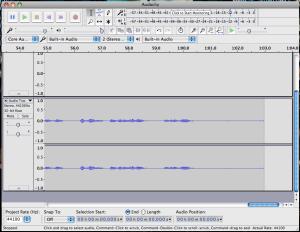
Audacity is a powerful music editor, recorder and player (also it’s free open source). You can either record your music, edit your tracks for DJs or wannabe sound editors or even for the newest millennial podcastor! A lot of features that you would probably pay big bucks with other apps (that you’d have to purchase), you end up getting for free with Audacity.
So get your PowerPC out of the closet and start playing with Audacity. It’s really fun and maybe we can find yourself with a new hobby or even a new profession.
Download here> https://www.audacityteam.org/download/mac/
Let’s start with a very good small app that it will help to keep your day organized. Notepads it is.
This is a very powerfull note app to keep your reminds, notes and full size texts.
It does have great features and it’s super easy to use.
It’s a free ware and you can register
Name: free version
Code: 0057968178
Dowloand here: http://vojousoftware.weebly.com/inotepad.html
Happy New Year to all of us and 2016 just started and I think from now only the strongest PowerPC users will keep on keeping on.
viJournal 2.3.9 Lite – PowerPC friendly (10.5 (Leopard) It is a free lightweight version of viJournal. It’s designed as an old-fashioned page-a-day bound diary. You write your entries under dated headers and save them collectively by month and year. ViJournal has many powerful features, all added in such a way that they do not clutter the interface or detract from the original purpose of having viJournal work like a traditional bound diary. It’s simple and light, runs very good on 10.5 and It a definitely an app to have installed.
Download here: http://cl.ly/2E0f0E1R3f3A
You still have many things to do with your powerful PowerPC.
Today I would like to bring to our attention, PowerPC users, this little and very powerful application called MacJanitor. It’s very good app to help maintain and keep your Mac clean.
Looking for a scroll feature to you iBook/PowerBook.
* PowerPC Friendly (Panther/Tiger/Leopard) FFS 0.7 – http://ffs.sourceforge.net
This app is Awesome!
Wondering how to make the most of your video-capable iPod® or Apple TV™? Looking for an easy way to make your video clips work with iTunes®? Need a general-purpose MPEG-4 and H.264 export tool?
ViddyUp
is the easy way to load up your iPod or Apple TV with home movies or content from around the web. Just drag your clips to the ViddyUp! window, tweak a setting or two (if you want), then let ViddyUp! get to work. iPod or Apple TV-friendly versions of each clip show up in a special playlist in iTunes, ready to sync.
ViddyUp! easily handles dozens of files with its batch processing mode and even works with MPEG muxed audio. And, with the Custom encoding option, you’re free to create MPEG-4 and H.264 files for iPod, Apple TV, iTunes, Podcasts or the Web. It’s up to you!
* System RequirementsL Mac OS 10.3/10.4/10.5 (PowerPC Friendly) – http://www.splasm.com/viddyup/
* viddyUp – 1.8.4
Once I started using Mac I never actually had any issues finding and adapting to new applications. I turned my back to windows and never retreat it. But some of you might want to use some windows program and this application will help you.
* WineBottler 1.2.5 (stable) – http://winebottler.kronenberg.org/downloads Tiger / Leopard.
Another good utility that still supporting PowerPC computers is Deeper from Titanium Software.
* Deeper is a personalization utility which allows you to enable and disable the hidden functions of the Finder, dock, etc.
– Tiger – 1.0.7
– Leopard – 1.1.5
Download here: http://www.titanium.free.fr/downloaddeeper.php
Titanium Software also has a very interesting application:
* Maintenance is a system maintenance and cleaning utility for Max OS X that allows you to run tasks of system maintenance: repair permission, run periodic scripts, reset spotlight’s index, delete application, font and system cache, check status of the hard drive, etc.
* Maintenance – 1.1.8 – Tiger
* Maintenance – 1.2.7 – Leopard
Download here: http://www.titanium.free.fr/downloadmaintenance.php
Summer is very busy time for me. I will put some more effort to it as soon as slow down a bit.
* Onyx available for all Macs PowerPC or Intel.
Onyx is a multifunction utility, it helps you to keep your mac healthy, it deletes caches, removes certain numbers of files and folders that may become cumbersome and more.
ONYX – 1.3.1 – Jaguar
ONYX – 1.5.3 – Panther
ONYX – 1.8.6 – Tiger
ONYX – 2.0.6 – Leopard
Titanium Software – http://www.titanium.free.fr/downloadonyx.php
Darwine: PowerPC – Mac OS X 10.3.9 Panther or later.
Darwine project intends to port and develop WINE as well as other supporting tools that will allow Darwin and Mac OS X/ppc users to run Windows Applications, and to provide a Win32 API compatibility at application source code level.
Download here: http://darwine.sourceforge.net/download.php
* FFMPEGX (0.0.9y)- PowerPC Friendly – 10.3 Panther / 10.4 Tiger / 10.5 Leopard. Nice and easy to use converter. Download Here . Convert you DVDs to DivX, MPEG, VCD and XVCD.
* Instapaper is a simple NotePad that it works from your Browser. Check Here
The coolest feature you can share with your friends what you are working on it. The good thing you are free of incompatibility of some softwares or office suite.