We mentioned here about how great Audacity is, but we can’t forget to mention that you may need this encoder to convert your projects into MP3.
Lame MP3 Encoder 3.100 > Download here > http://lame.sourceforge.net/
Thank you 😀
We mentioned here about how great Audacity is, but we can’t forget to mention that you may need this encoder to convert your projects into MP3.
Lame MP3 Encoder 3.100 > Download here > http://lame.sourceforge.net/
Thank you 😀
It’s still strange to me that this small blog is actually celebrating 7 years of anniversary. The original idea was only to post a couple of posts/apps that worked on the PowerPC, but we kept finding more and more out there… I already have many bookmarked for future testing, because there are more to come for the PowerPC community.
We did take some time off, because we got busy with our standard jobs and at the end of the day I just wanted to come home and watch Survivor and Amazing Race and go to bed. I kept procrastinating to login and write a new post, putting it off for “tomorrow” which ended up turning to weeks and months….
Now we are back, and I recently purchased a mint condition PowerBook G4 (15”/1.66GHz/1.5GB). I’m very proud of it, it’s a great machine and I’m bringing this blog back to life one more time, and breathing life into my stainless steel PowerPC!
So, if you find yourself like me, coming into possession of a brand new “old” Mac – wondering what the top 5 essential apps you need to have on your computer…then read on! Listed below are the Essential 5 apps for you (in my opinion):
TenFourFox – Yes, a trusted browser is a must for any PowerPC user. TenFourFox is putting in great effort and keeping us updated! – http://www.floodgap.com/software/tenfourfox/
iWork 09’ – This office suite it’s fantastic, still very up to date and you can pull off great results using Keynote, Number and Pages. Before I was using AppleWorks due to a nostalgic feeling, but iWork works amazing! Also deserving of a mention here is LibreOffice 5 (but still under development > http://ftp.osuosl.org/pub/manulix/other/libreoffice/). iWork 09′ you can find for a great price at https://www.ebay.com/ or https://www.craigslist.com/about/sites
VLC – If you choose to keep your Mac PowerPC free of excessive software, embracing the minimalist movement – then just install this app for your media player, because it will play any type of media movie format. Super powerful! – https://www.videolan.org/vlc/download-macosx.html
Gimp – A Classic of the classics – everybody needs to have this app because before the internet you would have a computer to play with apps like Gimp. – https://www.gimp.org/downloads/
AppDelete – They say you only need to drag your app to the garbage bin, but I personally do prefer to use an app to take care of that. – http://www.reggieashworth.com/appdelete
Now my friends, you are ready to start!
Since we are an independent blog and there is an annual cost for running this blog any support/donation would be highly appreciated.
Thank you 😀
FinderPop 2.5.7
Right in the middle of 2018, I’m doing my standard search for PowerPC apps and found FinderPop which has brought a whole new life to my “pretty” and “powerful” 15 year old Mac computer.
FinderPop is a simple, yet powerful and intricate app. It will keep everything you need one-click away, for quick and easy access. It’s great for shortcuts and it will help you organize your app like never before.
I’m also pleased to report that it runs on an Intel Mac and our good old friend, Tiger 10.4
Needless to say – it’s Free, so don’t waste your time, click on the link below and install it right away. Just make sure to share your find on your favourite social media page, and don’t forget to tag the app and your favourite blog 😀
For more details, please watch the following video, posted by the developers >
https://www.youtube.com/watch?v=zTVGlsRzJvw
Download FinderPop here for free > http://www.finderpop.com/
Quick note >
Great news, after re-checking we found out >
Screenium 2.1.8 also works on PowerPC 10.5 😀
Thank you.
This week, I found a fantastic app that runs and works great on PowerPC – Leopard! Screenium 1.5 or 2.1.8 is software that allows the user to record what’s happening on the screen. Super convenient if you’re someone with a youtube channel, or someone who needs to create an instructional video or training for an online function or program!
There are nice features like recording a fixed area, full screen, mouse area or a single window. Also it has support for microphones, so you can add your comments as you record. You can use a camera as well!
It’s easy to use and the results are fantastic.
It’s not free – so please make sure to contact them before purchasing because you need to make sure they still providing license to this version. The currently version is 3.1.3 and it’s Intel only. This version does however allow a demo try.
I’m very satisfied with the results and this app has a great deal of potential, even being a bit outdated, it still gets the job done very well.
So ladies and gentlemen, this is another great reminder to take your PPC’s out and use them to their full potential!
Have fun with it!
Download version 1.5 or 2.1.8 from the official website > http://www.syniumsoftware.com/downloads
Or
Download the version 1.5 from this link: (use server 1) > http://mac.brothersoft.com/screenium-download.html
Sometimes we have these apps that are a must to have installed and we always forget to mention them because we assume everybody already knows about them…
I realized that Audacity is one of these fantastic apps…so I am going to break the cycle of not mentioning the basics…right now.
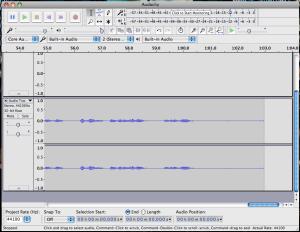
Audacity is a powerful music editor, recorder and player (also it’s free open source). You can either record your music, edit your tracks for DJs or wannabe sound editors or even for the newest millennial podcastor! A lot of features that you would probably pay big bucks with other apps (that you’d have to purchase), you end up getting for free with Audacity.
So get your PowerPC out of the closet and start playing with Audacity. It’s really fun and maybe we can find yourself with a new hobby or even a new profession.
Download here> https://www.audacityteam.org/download/mac/
I found these great apps that it may help someone out there having the same issue that I was couple of weeks ago.
Some of my browsers were really out of date and I found out that TenFourFox seems to be the one to use as default.
Browsing in an iBook it’s not a easy task if you don’t have a mouse plugged in. My trackpad doesn’t have features like scrolling so I found an app that it does the job for me.
iScroll2 – can be download here > http://iscroll2.sourceforge.net/
Second app is Scroll Reverser, well long short story it does reverse the scrolling.
Scroll Reverse – can be download here > https://pilotmoon.com/scrollreverser/
And if you are wondering TenFourFox > http://www.floodgap.com/software/tenfourfox/
Let’s start with a very good small app that it will help to keep your day organized. Notepads it is.
This is a very powerfull note app to keep your reminds, notes and full size texts.
It does have great features and it’s super easy to use.
It’s a free ware and you can register
Name: free version
Code: 0057968178
Dowloand here: http://vojousoftware.weebly.com/inotepad.html
For my first post, since awhile I don’t add anything here I had this tab opened since forever and here is to share with you all.
TSClientX –
What is TSclientX?

TSclientX is a Windows Terminal Services client for Mac OS X. It
appears to be a regular Mac OS application but is in fact an assembly
of free software working in concert to provide similar (better?)
functionality to the official Remote Desktop Connection from Microsoft.

What makes TSclientX interesting compared to other Mac RDP Clients?

- SeamlessRDP is brought to you by Cendio's SeamlessRDP component.
It was originally introduced in rdesktop 1.5 and just simply rocks.
Well, it’s definitely awhile since we posted here in this blog. Now we are wondering if our MacPowerPC community still using their PPC computer out there.
I took my iBook G4 and give it a try and for my surprise still turning on. I know we are so 2000Late but it’s a beautiful machine and as much as it struggle to do some tasks it’s hard working machine.
Next I will try to catch up where I stopped and see what I still can find out there for our PPC machines. I had so many I would like to share but I got into a really busy years 2016/2017 that I couldn’t focus in doing anything else. I missed going to my Heavy Metal concerts and posting here and now it’s time to put some music on and dig deep for those lost apps that it will make the different (If you still using PPC).
2018 PPC still on.
Thanks
Notefile 1.0
It makes quick notes and view them quickly – http://mac.brothersoft.com/notefile.html
Quick note about browsers http://tenfourfox.blogspot.ca/2015/12/tenfourfoxbox-10.html
AirRadar 2.2.3
AirRadar 2.2.3 is an application which will allow you to scan for and connect to wireless networks nearby. AirRadar is easy to use and helps you find the best networks in your area.
You can create your own list of favourites, or filter out those that you don’t want to see.
Version 2.2.3 is PowerPC friendly and is free to try.
I shared this project on MacPowerPC’s facebook and I got good message so I decide to share this link here as well:
https://sites.google.com/site/geekattempts/gnu-pcb-on-a-ppc-mac
Indigo 5.1.13 – PowerPC Friendly (10.5) (no longer supported for PPC).
Indigo is an intelligent home automation server for Mac OS X. Amazing and powerful.
For more information visit http://indigodomo.comhttp://indigodomo.com
Neo for Leopard 1.0.33 (PowerPC friendly)
NeO is a powerful outliner built for MacOS X. Using NeO, you can efficiently manage and organize pieces of information. NeO supports basic outliner facilities, such as creating, moving, sorting, grouping, combining and gathering items. And the useful facilities help you manage and organize information.
For some reason I’m getting an issue when I launch this app, I sent report and I hope they will fix it soon, until there let’s wait. The installation went well and seems to be promising app.
Download here > http://d-lit.com/macosx/neo2/download.php