When we talk about players for Mac the first one that comes to mind is definitely iTunes. iTunes is a great app but sometimes you don’t want to sync your music and are only looking for a fast and easy listen. iTunes 10.2.2 still runs on PowerPC 10.5 or later, if you do have a PowerPC 10.4 you can use iTunes 9.2.1. For those that are still running PowerPC G3 can use 8.2.1. I have to confess that I decide to downgrade my iTunes to 8.2.1 because I had a few issues with 9.2.1 the (determining gapless playback information) was driving me crazy.
* VLC – I know many people use the VLC for movies only, but this is a powerful app, perfect to play your audio (MPEG-1, MPEG-2, MPEG-4, DivX, mp3, ogg, …). If you are minimalist with your computer, you are not going to need any other app other than this one. http://www.videolan.org/
* Cog – Simple but plays all the popular formats of audio (Ogg Vorbis, Flac, Musepack, Mp3, Shorten, Wavpack, AAC, and Monkeys Audio). Perfect for PowerPC 10.4. It’s a light app to have installed in your computer just in case you need it. As your default audio software, it will meet all your basic requirements, and looks good too! http://cogx.org/
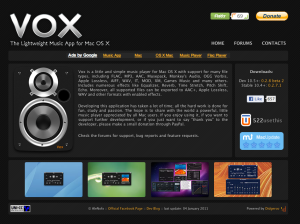
* Vox – It’s a small yet simple app that also plays everything that you are going to need, including FLAC, MP3, AAC, Musepack, Monkey’s Audio, OGG Vorbis, Apple Lossless, AIFF, WAV, IT, MOD, XM, Games Music and many others. I recommend that all PowerPC users download this app, as it’s always good to have it. http://www.voxapp.uni.cc/ Download available here: Vox 0.2.7.1 – http://cl.ly/151K2l2P1F2i
* Audion X – It’s not a popular player, but works really good with PowerPC 10.4. It’s Easy to use and has some of advanced features ready to be discovered! It plays Audio CDs, MP3s, and streaming network audio. Even hang with your iPod, light, simple, and powerful. http://www.panic.com/audion/
* Taply – It’s is a simple soundfile player. http://www.bluem.net/en/mac/taply/versions/
*SoundApp Reborn – Another simple player. http://thirdcog.eu/apps/soundapp
* Play – is an application for playing and managing audio files. Play supports FLAC, OGG VORBIS, MUSEPACK, WAVPACK MONEKEY’S AUDIO, AAC APPLE LOSSLESS, MP3 and various other audio file formats. http://sbooth.org/Play/
Please if you like subscribe to my blog or leave a comment. Thanks
